MCP for Marketers: The Complete Guide to Connecting AI to Your Stack
What the Model Context Protocol is, which ad platforms ship official MCP servers, what marketers can actually automate with it, the security risks nobody mentions, and a four-stage path from "ask" to "act" that keeps humans in charge.
By Alexandre Contador, Fractional CGO & GTM Advisor
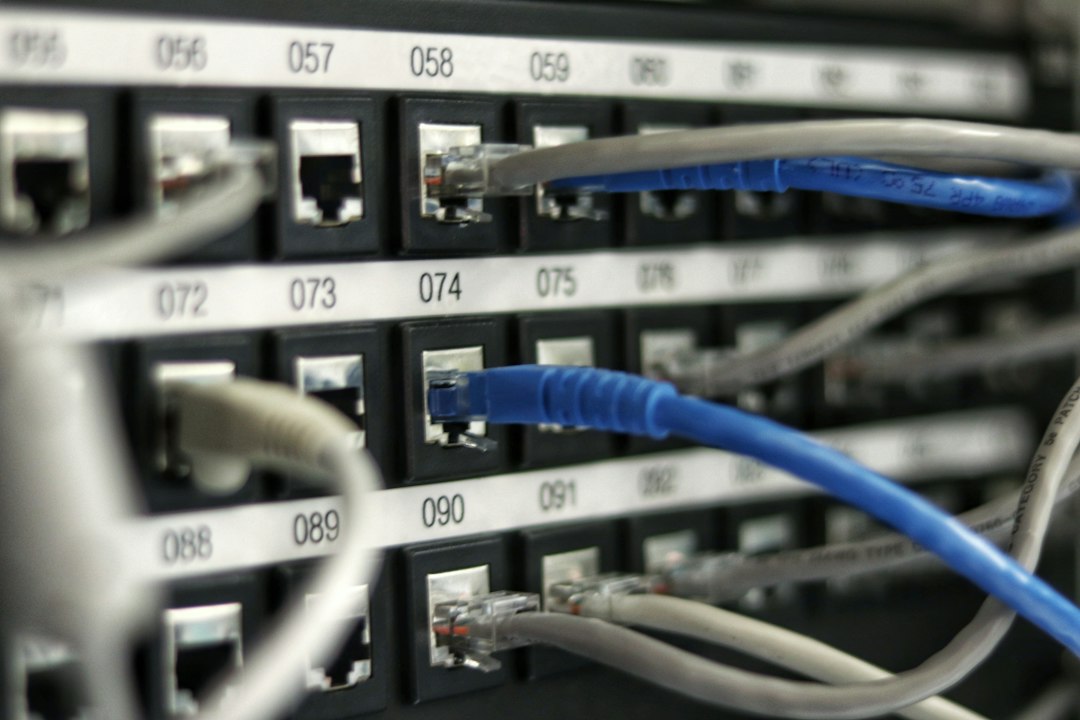
Every marketing team already has the data it needs. It lives in a dozen tools that don't talk to each other, and the person who can stitch them together on a Tuesday afternoon is usually the same person who is busy on Wednesday. The Model Context Protocol (MCP) is the first widely adopted standard that lets an AI assistant do that stitching — read from your ad platforms, CRM and analytics, and, if you allow it, act on them.
That is both the opportunity and the risk. A connected assistant can answer "why did CAC jump last week?" in one prompt. A badly governed one can pause the wrong campaign at 2 a.m. This guide covers what MCP is, which platforms support it today, the workflows worth building first, the security model, and a staged path from asking questions to letting agents act.
What MCP actually is
MCP is, in the words of its official documentation, "an open-source standard for connecting AI applications to external systems." Using it, an AI application can connect to data sources such as local files and databases, tools such as search engines and calculators, and workflows such as specialised prompts. The project's own analogy: MCP is like a USB-C port for AI applications — a standard way to plug a model into whatever it needs.
It was created at Anthropic and announced on November 25, 2024, with pre-built servers for Google Drive, Slack, GitHub, Git, Postgres and Puppeteer, and early adopters including Block and Apollo. Roughly a year later, on December 9, 2025, Anthropic donated the protocol to the Agentic AI Foundation, a fund under the Linux Foundation co-founded by Anthropic, Block and OpenAI. That neutral governance matters for marketers: it means the standard you wire your stack into isn't owned by a single model vendor.
supported by Claude, ChatGPT, VS Code, Cursor and many other clients
Source: modelcontextprotocol.io
The three roles: host, client, server
Three pieces appear in every MCP setup:
| Role | What it is | Marketing example |
|---|---|---|
| Host | The AI application the person uses | Claude, ChatGPT, Claude Code, Cursor |
| Client | The connector inside the host that talks to one server | The "Google Ads" connection inside Claude |
| Server | A small program that exposes a system's capabilities | The Amazon Ads or Google Ads MCP server, or a HubSpot connector |
You normally only touch the host. Adding a connector in Claude or ChatGPT creates the client for you; the vendor runs the server (a remote server) or you run it yourself (a local server).
What a server can expose: tools, resources, prompts
A server offers up to three kinds of capability, and the difference matters when you scope permissions:
| Capability | What it does | Example in marketing |
|---|---|---|
| Tools | Actions the model can call | run_report, create_campaign, update_budget |
| Resources | Read-only data the model can pull in | A campaign's settings, a saved audience, a brand guideline file |
| Prompts | Reusable, pre-written instructions | "Weekly pacing check" or "Negative keyword audit" templates |
Rule of thumb: resources and read-only tools are low risk; any tool that creates, edits or deletes is where governance starts.
MCP vs. API vs. a plain integration
If your stack already has APIs and Zapier-style automations, why bother? Three differences:
- Discovery. An MCP server describes its own tools to the model, so the assistant can find and use capabilities without you hand-writing every integration.
- Reuse. A server written once works with every compliant client — Claude today, another model tomorrow.
- Conversation. The model chooses and chains tool calls based on a natural-language request, rather than following a fixed trigger-action flow.
The trade-off: a fixed automation is predictable and cheap to run; an agent using MCP is flexible and sometimes wrong. Use deterministic automation (for example Make or n8n flows) for repeatable work and MCP for open-ended analysis and drafting. Both belong in a modern GTM engineering stack.
Which marketing platforms ship MCP servers
Marketing platforms are moving fast, and status changes by the month. Treat the table as a snapshot taken in November 2026 and verify against each vendor's documentation before building on it.
| Platform | Official server | Launched | Access | Reported scope |
|---|---|---|---|---|
| Google Ads | Open-source googleads/google-ads-mcp | Oct 7, 2025 | Developers; needs Google Ads API credentials | Launched read-only for reporting and diagnostics |
| Amazon Ads | Amazon Ads MCP Server | Open beta Feb 2, 2026 | Amazon Ads partners with active API credentials | Create, update and delete campaigns; reporting; account settings; billing and financial data |
| Meta Ads | Hosted Meta Ads connector | Open beta reported from Apr 29, 2026 | Rolled out account by account | Read and write; third-party reports say writes land paused until a human activates them |
Sources: Google Ads Developer Blog, Amazon Ads announcement. Meta details are reported by trade and vendor blogs; confirm on Meta's developer documentation.
Source: Calculated from announcement dates cited above (Anthropic, Google, Amazon, trade reports)
Two takeaways from that table. First, "official" does not mean "complete". Google's first release was explicitly read-only; Amazon's is a beta limited to partners with API credentials. Second, each platform defines "conversion", "attributed" and "spend" its own way, so an assistant that reads three servers will happily hand you three numbers that cannot be added together. That is a measurement problem MCP does not solve.
Beyond ads: where else MCP connects
Ad platforms get the headlines, but most of the day-to-day value sits elsewhere in the stack:
- Knowledge and docs — Notion, Google Drive and Slack connectors turn briefs, call notes and past campaigns into context the assistant can search.
- CRM and revenue — HubSpot, Salesforce, Attio and similar tools let an agent read pipeline, source and stage data.
- Analytics and BI — GA4, Amplitude, PostHog, warehouses (Postgres, BigQuery).
- Web and SEO — crawlers, rank trackers, Search Console, Ahrefs or Semrush.
- Outbound and email — sequencers and ESPs such as Lemlist, Instantly, Customer.io, Klaviyo.
- Creative — Canva, Figma, image and video models.
Two curated lists will save you hours of searching: the free 100 MCP Servers Worth Installing and the Claude Connectors Directory, which maps 60 connectors to their best GTM use. If you want to see how these fit together in a real stack, the $0 → $1M ARR tech stack guide and the Alex Stack Suggestion directory cover the tools themselves.
The measurement gap: why connected is not the same as correct
The most common mistake in early MCP projects is assuming that connecting an assistant to your platforms gives it the truth. It gives it each platform's version of the truth.
Consider four questions a CMO will ask in the same meeting:
- Which channel actually drives pipeline, not just platform-attributed conversions?
- If we move €50k from paid social to search, what happens to total revenue?
- How much of "Brand search" conversions would have happened anyway?
- Which of last month's wins was incremental?
None of those can be answered by reading three dashboards faster. They need independent measurement — your CRM as the source of record for pipeline and revenue, marketing mix modelling or incrementality tests for causality — and a human who understands the business. MCP is the plumbing that lets an assistant reach that evidence; it does not create it.
What marketers can actually do with MCP
These are the workflows that repeatedly pay for themselves, ordered from lowest to highest risk.
1. Cross-tool performance questions
Ask in plain English and let the assistant query several systems: "Compare last week's paid spend, pipeline created and CAC payback by channel, and flag anything that moved more than 20%." The assistant runs the reports, joins the output and explains the movement. This replaces the Monday-morning spreadsheet merge. If your team tracks payback, pair it with the CAC payback calculator and the guide to CAC payback and unit economics so the assistant is judging against your thresholds.
2. On-demand reporting and narrative
Instead of pre-building dashboards for every question, keep one stable report definition and let the assistant write the narrative: what changed, why it likely changed, what to check next. Because the assistant can pull the underlying data, every claim can link back to a query a human can re-run.
3. Audits that used to take a day
- Paid account audit — search terms with spend and no conversions, budget pacing, disapproved ads, duplicated keywords.
- SEO and AI-search audit — crawl issues, thin pages, missing schema, citations in AI answers. See the GEO and AEO guide for what to check.
- CRM hygiene — duplicates, stage-stuck deals, missing source fields.
4. Content and campaign operations
Briefs from call transcripts, UTM naming checks, creating tasks, drafting posts from approved source material, resizing assets. These are low-stakes writes inside tools you control, and they are where agentic content workflows earn their keep.
5. Outbound research and signal monitoring
Agents can enrich an account list, pull hiring or funding signals, draft personalised first lines and load a sequencer — with a human approving before anything is sent. The deeper playbook is in the signal-based outbound guide.
6. Actions in ad platforms (last, and gated)
Creating campaign drafts, adding negatives, adjusting budgets within a cap, launching in a new country. Amazon's server, for instance, advertises single-prompt flows for work that normally takes "three or more operations". These are powerful and risky in equal measure — see the autonomy ladder below.

A staged path: from ask to act
Don't turn on writes on day one. Move through four stages and graduate only when the previous stage is boring.
| Stage | What the agent may do | Typical tasks | Gate to move on |
|---|---|---|---|
| 1. Ask | Read only, single source | "What did we spend last week?" | Answers match the platform UI 10 times in a row |
| 2. Analyse | Read across tools, produce reports | Cross-channel pacing, anomaly summaries | Reconciles to the CRM; cites its sources |
| 3. Recommend | Propose changes with evidence | "Pause these 12 ad groups because…" | A human accepts most recommendations and can explain why |
| 4. Act | Execute within hard limits, paused or draft by default | Add negatives, create drafts, shift budget ±10% | Audit log, rollback plan, named approver |
Match autonomy to risk
A useful mental model is to ask two questions of every action: how reversible is it and how much money or reputation can it move? Adding a note to a CRM record is reversible and cheap — let the agent do it. Changing a daily budget by 5% is reversible and small — allow it inside a cap. Launching a new market or sending outbound email from your main domain is hard to undo — require approval every time.
Four principles keep this honest:
- Approved data access. The agent can only reach systems you explicitly connected.
- Defined objectives. Every run has a stated goal and constraint ("reduce wasted spend; never change brand campaigns").
- Human accountability. One named person owns each agent's actions.
- Appropriate governance. Logging, review cadence and an off-switch.
Security: the part most guides skip
MCP gives a language model the ability to call real tools with real credentials. The protocol's own security best-practices page documents the main attack classes. The ones that matter most for a marketing team:
| Risk | What it means | What to do |
|---|---|---|
| Untrusted local servers | A server you download runs with your privileges and can execute code on your machine | Only install servers from vendors or code you've reviewed; prefer hosted servers from the platform itself; sandbox where possible |
| Over-broad scopes | A token with admin:* access turns a leak into a disaster | Grant the minimum scope; use read-only credentials for analysis agents |
| Token passthrough and confused deputy | A badly built server accepts or forwards tokens meant for something else | Use servers from reputable vendors; for custom servers, validate token audience |
| Prompt injection through data | Text inside an email, review or web page tells the agent to do something | Treat all retrieved content as data; never let an agent act on instructions found in it; require approval for writes |
| No audit trail | You can't tell who or what changed a campaign | Use per-agent credentials, keep logs, review weekly |
A short, practical checklist before connecting anything to money:
- Create a dedicated service user for the agent, not your personal login.
- Start with read-only scopes and add write scopes one at a time.
- Make every create/update land as draft or paused.
- Put spend caps and allow-lists outside the model (in the platform), not just in a prompt.
- Log every tool call and review them weekly.
- Keep a kill switch: one place to revoke the agent's credentials.
How to set it up this week
You can have a useful, safe setup in an afternoon.
- Pick the host. Claude or ChatGPT for business users; Claude Code or Cursor if you're comfortable in a terminal.
- Connect three read-only sources: your analytics tool, your CRM and one ad platform.
- Write the project instructions. Include your ICP, channel definitions, the metrics that matter, what "good" looks like and the rule about citing sources. If you haven't nailed the ICP, start with the ICP framework.
- Build three saved prompts: weekly pacing review, anomaly explanation, and a monthly channel summary.
- Run it in parallel with your current reporting for two weeks and compare.
- Only then add one low-risk write (for example, creating tasks or drafts) and review the log.
Mistakes teams make
- Connecting everything at once. More tools means more ambiguity for the model and more attack surface. Start with three.
- Letting the model pick the metric. Define the metrics and attribution rules yourself; otherwise the assistant improvises.
- Trusting platform ROAS as the answer. See the measurement gap above.
- Skipping the evaluation. Keep a small test set of questions with known answers and re-run it whenever you change a server or a prompt.
- No owner. An agent with no named human accountable is a liability.
- Treating MCP as a strategy. It is plumbing. The strategy — positioning, ICP, channel mix — still comes first. See the GTM strategy from scratch guide.
Where MCP is heading
Three trends worth planning for, all consistent with the sources above:
- More first-party servers, more access gates. Platforms are shipping official servers but gating them by partner status, account or beta flag. Expect the access rules, not the protocol, to be the bottleneck.
- Governance moving into the standard. The protocol's documentation already deprecates older authorisation patterns and keeps revising its security guidance; expect clearer consent and scope models.
- From single assistants to teams of agents. Specialised agents (research, analysis, content, outbound) each get narrow permissions and hand work to each other. That is the model behind agentic GTM workflows.
Next steps
- Grab the free 100 MCP Servers Worth Installing list and the Claude Connectors Directory.
- Read the guide to agentic GTM workflows for ready-to-copy workflows.
- If you want a stack designed around these agents, that is what GTM engineering engagements cover.
Frequently asked questions
MCP (Model Context Protocol) is an open standard that lets AI applications such as Claude or ChatGPT connect to outside systems — databases, files, ad platforms, CRMs — in one consistent way. The official documentation compares it to a USB-C port for AI: one connector instead of a custom cable for every device.
An API is how one piece of software exposes functions to another. MCP sits on top: it standardises how an AI model discovers what a system can do (its tools, data and prompts) and calls it. Most MCP servers are thin wrappers around an existing API, which is why the Amazon Ads server describes itself as translating natural-language prompts into structured API calls.
No. Claude, ChatGPT and other assistants let you add connectors from a menu and sign in with OAuth. Developer skills only matter when you run local servers, build your own server, or script agents with tools like Claude Code.
It can be, if you stage it. Start read-only, use least-privilege scopes, make every write land in a paused or draft state, and keep a named human accountable for approval. The MCP project's own security guidance flags over-broad scopes, token passthrough and untrusted local servers as the main failure modes.
As of November 2026, Google Ads (open source, launched read-only in October 2025), Amazon Ads (open beta from February 2026) and Meta Ads (open beta reported from April 2026) all publish official servers. HubSpot, Notion, Slack, Google Drive and many analytics and CRM tools expose connectors too. Check each vendor's documentation, because capabilities and access rules change quickly.
Free resources & related work
Sources
- Model Context Protocol — introduction
- Anthropic — Introducing the Model Context Protocol (Nov 25, 2024)
- Anthropic — Donating MCP to the Agentic AI Foundation (Dec 9, 2025)
- Google Ads Developer Blog — Open source Google Ads API MCP server
- Amazon Ads — Introducing the Amazon Ads MCP Server
- MCP — Security best practices
Want a second opinion on your GTM?
30 minutes, no pitch — just a direct conversation.
Next in AI & Agents
Signal-Based Outbound with AI Agents: The Complete Guide for B2B SaaS
How to replace spray-and-pray cold outreach with signal-based outbound: the four buying signals worth monitoring, how AI agents research and draft messages, the deliverability and legal rules you can't ignore, and a step-by-step build with human approval at every send.
Keep reading
All AI & Agents guides →
Agentic GTM Workflows: 25 Claude and Claude Code Automations for Marketing, Sales and Ops
A practical guide to building agentic go-to-market workflows with Claude and Claude Code: the difference between workflows and agents, five design patterns, 25 concrete automations across marketing, sales and ops, and a maturity model for rolling them out safely.

The Ultimate Guide to GEO and AEO: Getting Cited by ChatGPT, Gemini, Claude and AI Overviews
What generative engine optimization (GEO) and answer engine optimization (AEO) really are, what the research and Google's own documentation say works, how big AI referral traffic actually is, and a step-by-step plan to measure and improve your brand's visibility in AI answers.

Signal-Based Outbound with AI Agents: The Complete Guide for B2B SaaS
How to replace spray-and-pray cold outreach with signal-based outbound: the four buying signals worth monitoring, how AI agents research and draft messages, the deliverability and legal rules you can't ignore, and a step-by-step build with human approval at every send.